Building a flow
How flows work
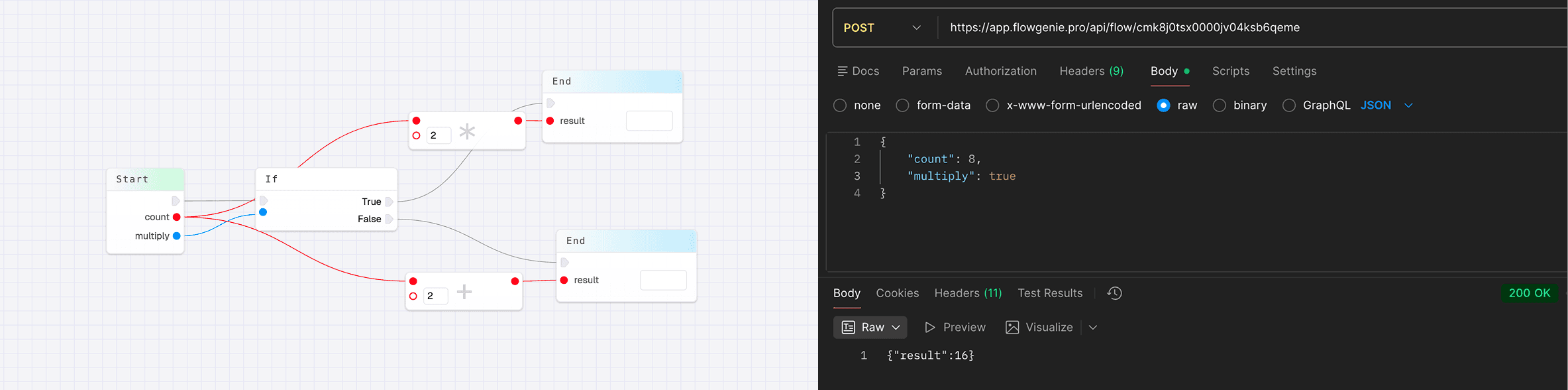
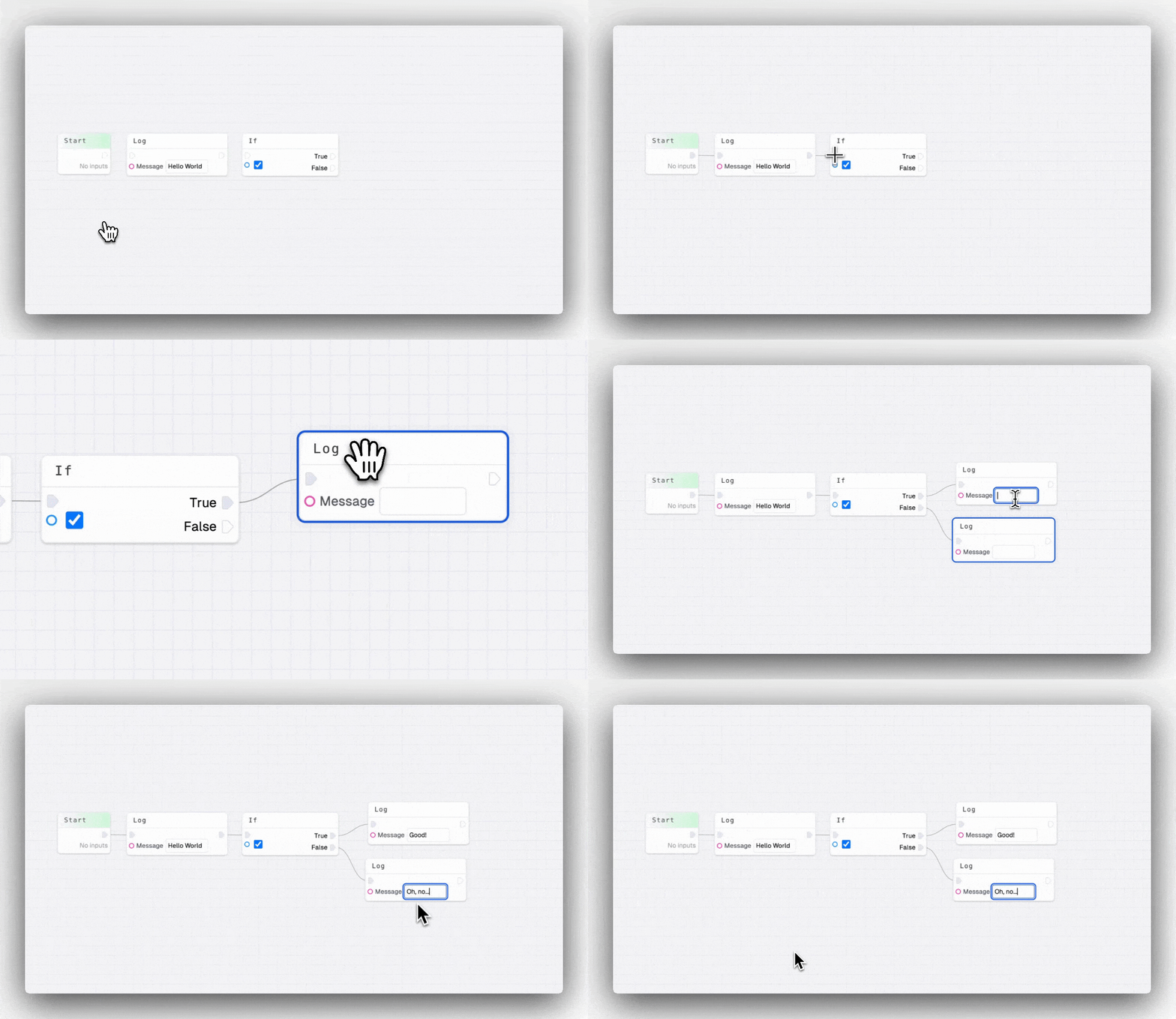
Flows follow a path of logic, starting at the start node, following the arrow path:
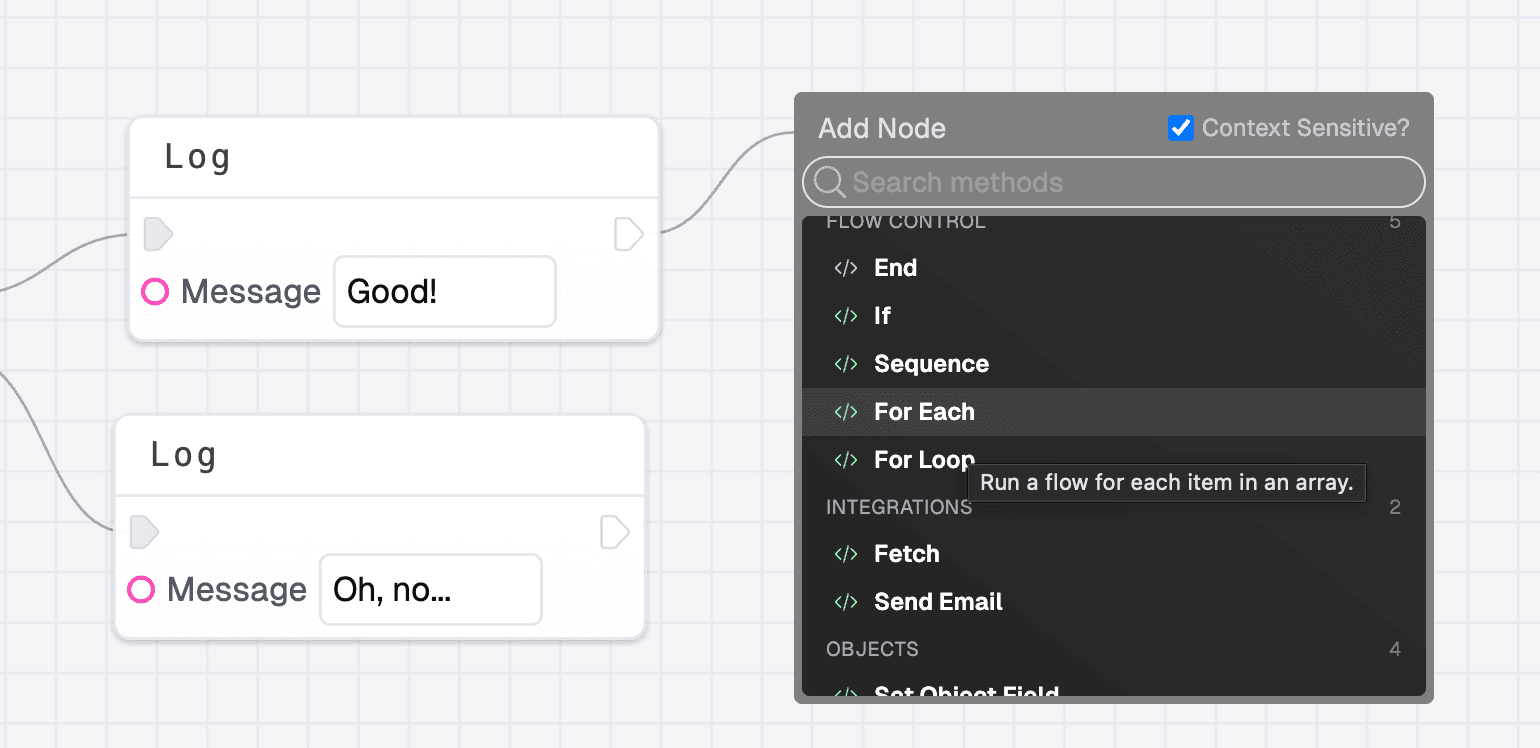
When you drag from a handle and let go, the context menu will open, showing you a list of methods and other nodes you can add to your flow. If you have context sensitive selected, you will only see methods that you can actually connect. You can also right-click the editor to open the menu.
Start Node
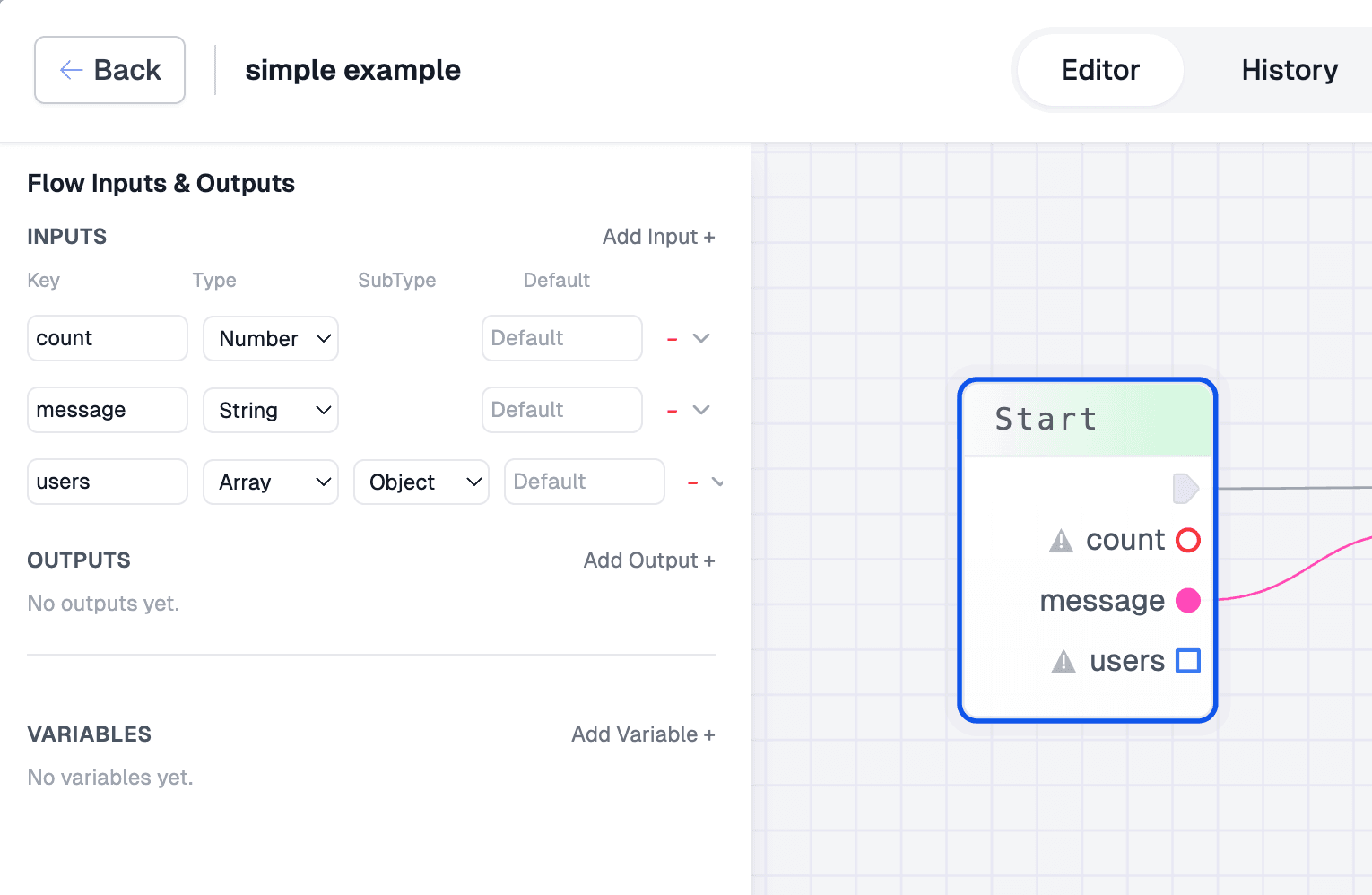
All flows start with a start node, and can only have one. The start node is the starting point for your logic and can be connected to one other method. You can also click the start node to open menu to define inputs. Inputs are the values that can be passed into your flow when being called.
End Node
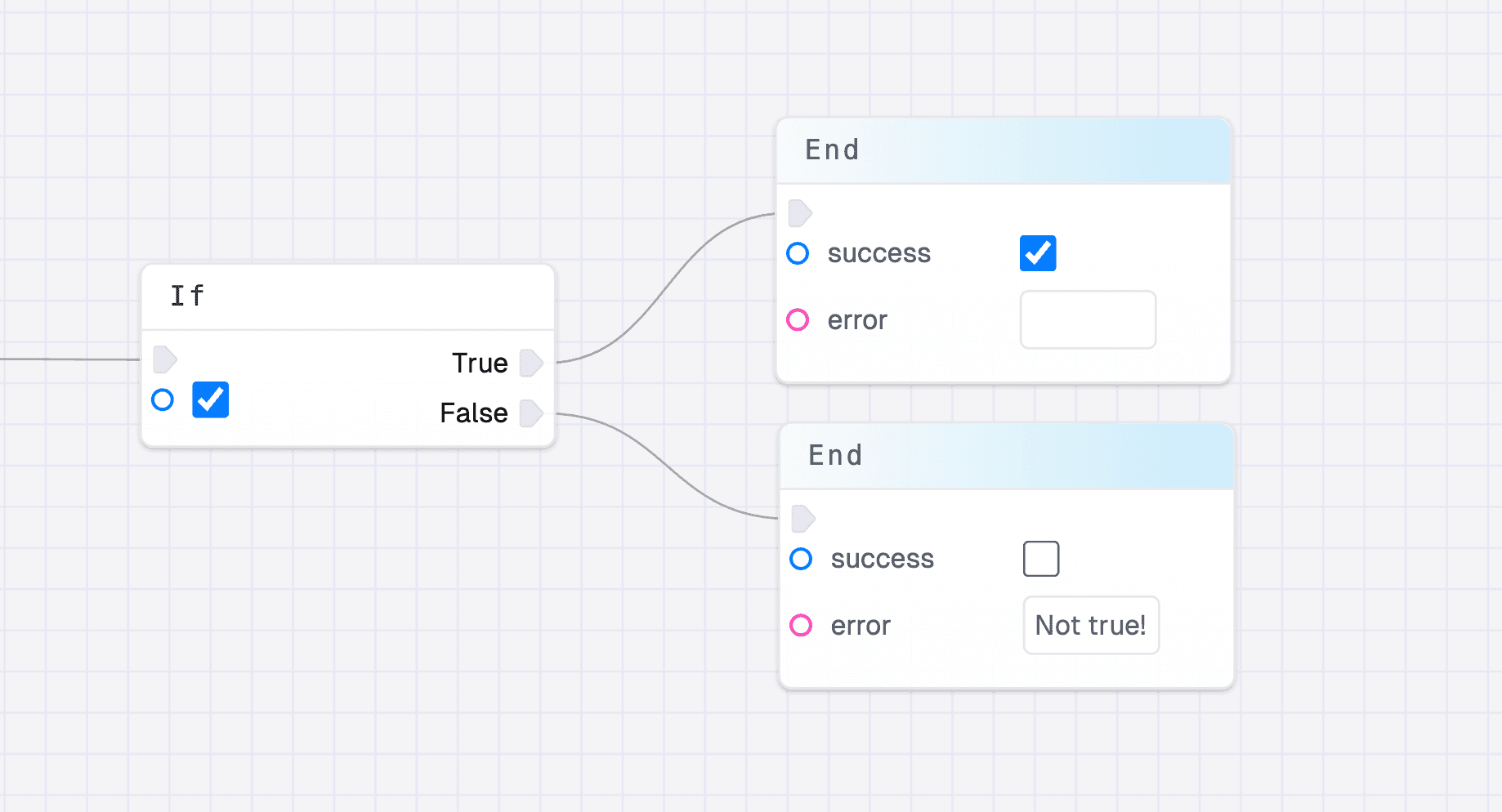
You can stop your flow running by using the end node. You can also use the end node to define your outputs. Multiple end nodes can be added to your flow, allowing you to set different return values for different situations.
Using a flow
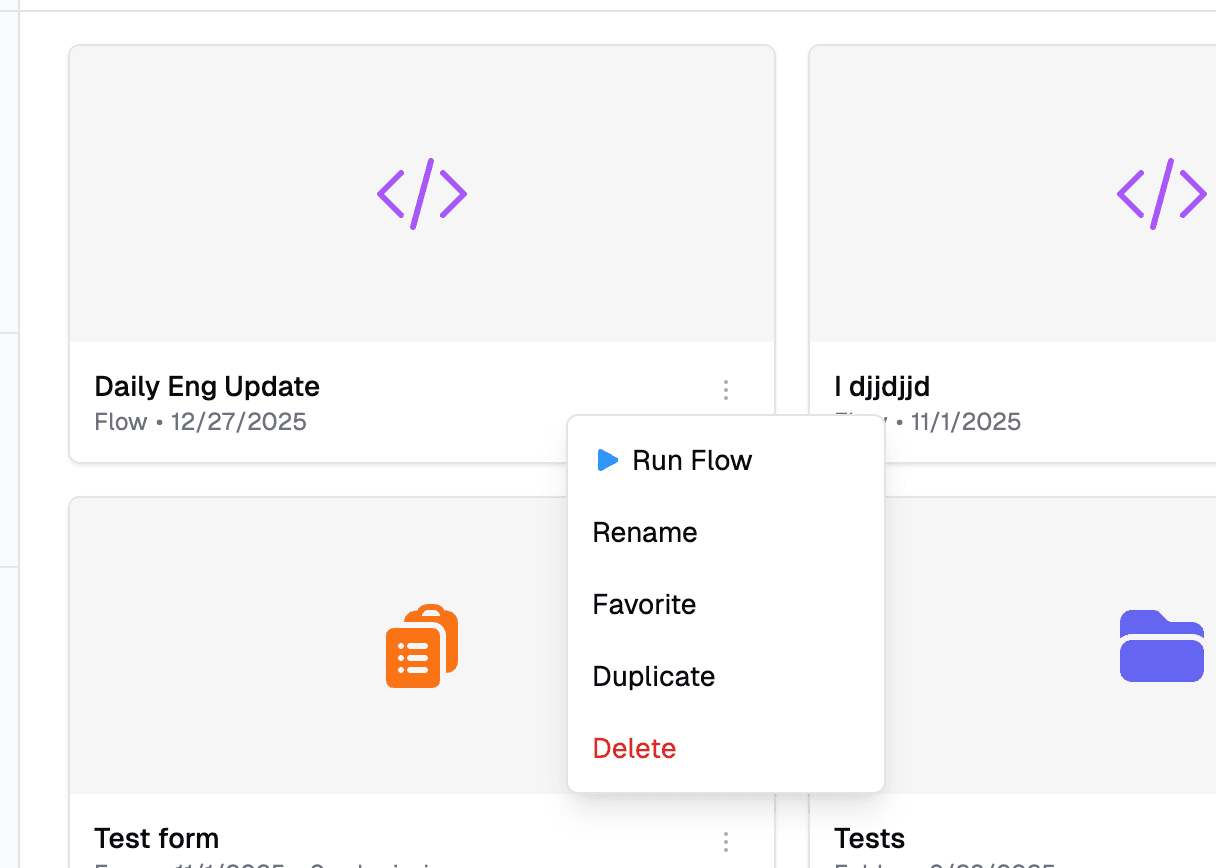
You can use a flow in many ways. Firstly, you can use them in forms, as a validation, options, or on-submit flow. You can also run them manually from the flow editor or from the dashboard if you favorite one.
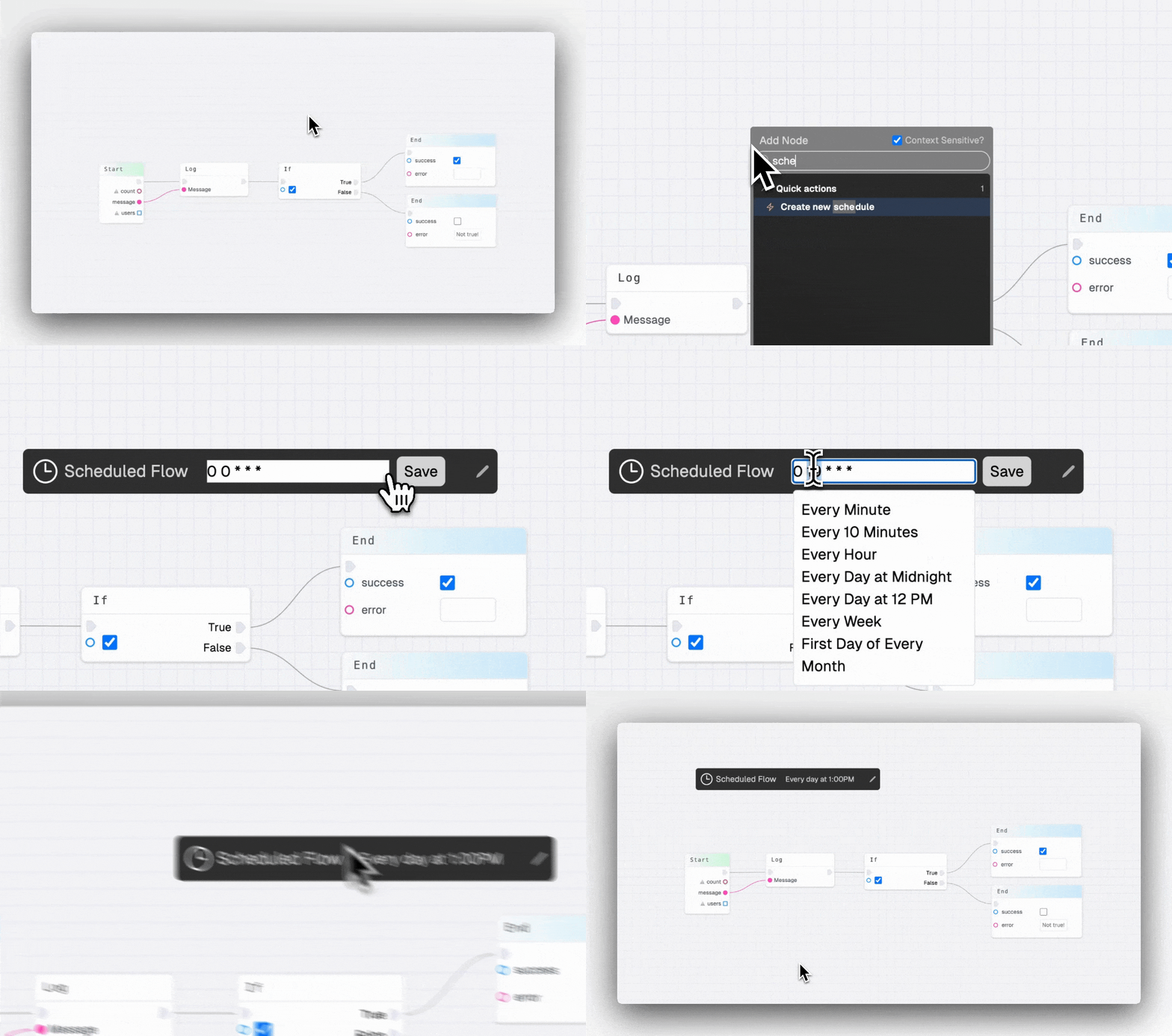
You can also run a flow on a schedule.
Or you can call your flow externally, either from your app or another tool. The body of the request should match your input, and the outputs will be returned to you.