Multiple Choice
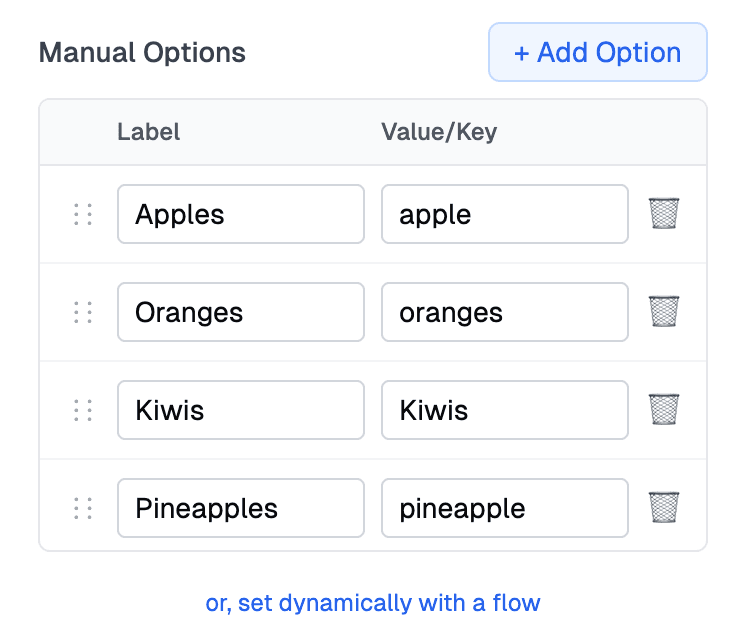
Multiple choice questions allow users to select from predefined options. These question types are perfect for surveys, preferences, categories, and any scenario where you need structured responses. You can either create the list of options in the editor, or use an options flow to fetch the options from another system.
Dropdown
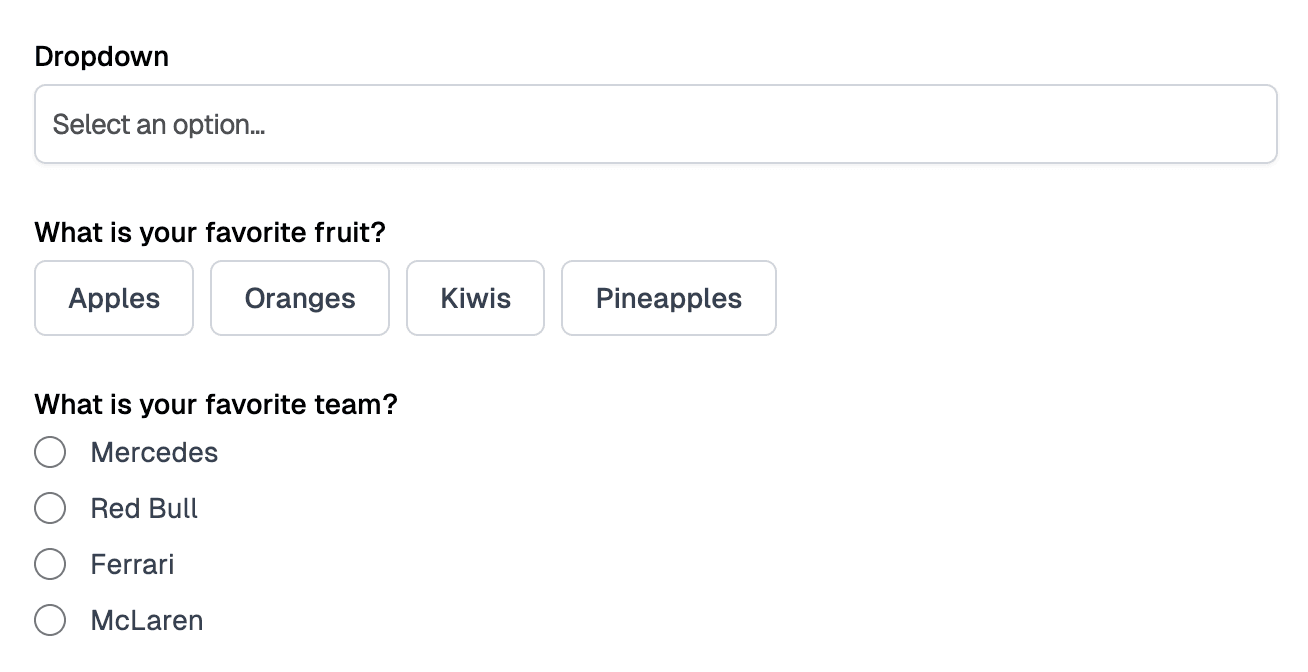
Dropdowns (also called select menus) display a list of options in a compact format. When clicked, they expand to show all available choices. They’re ideal when you have many options and want to save space.
There are three variants for dropdown, including your standard dropdown, a list of buttons, and a list of radio buttons.
Multi-Select
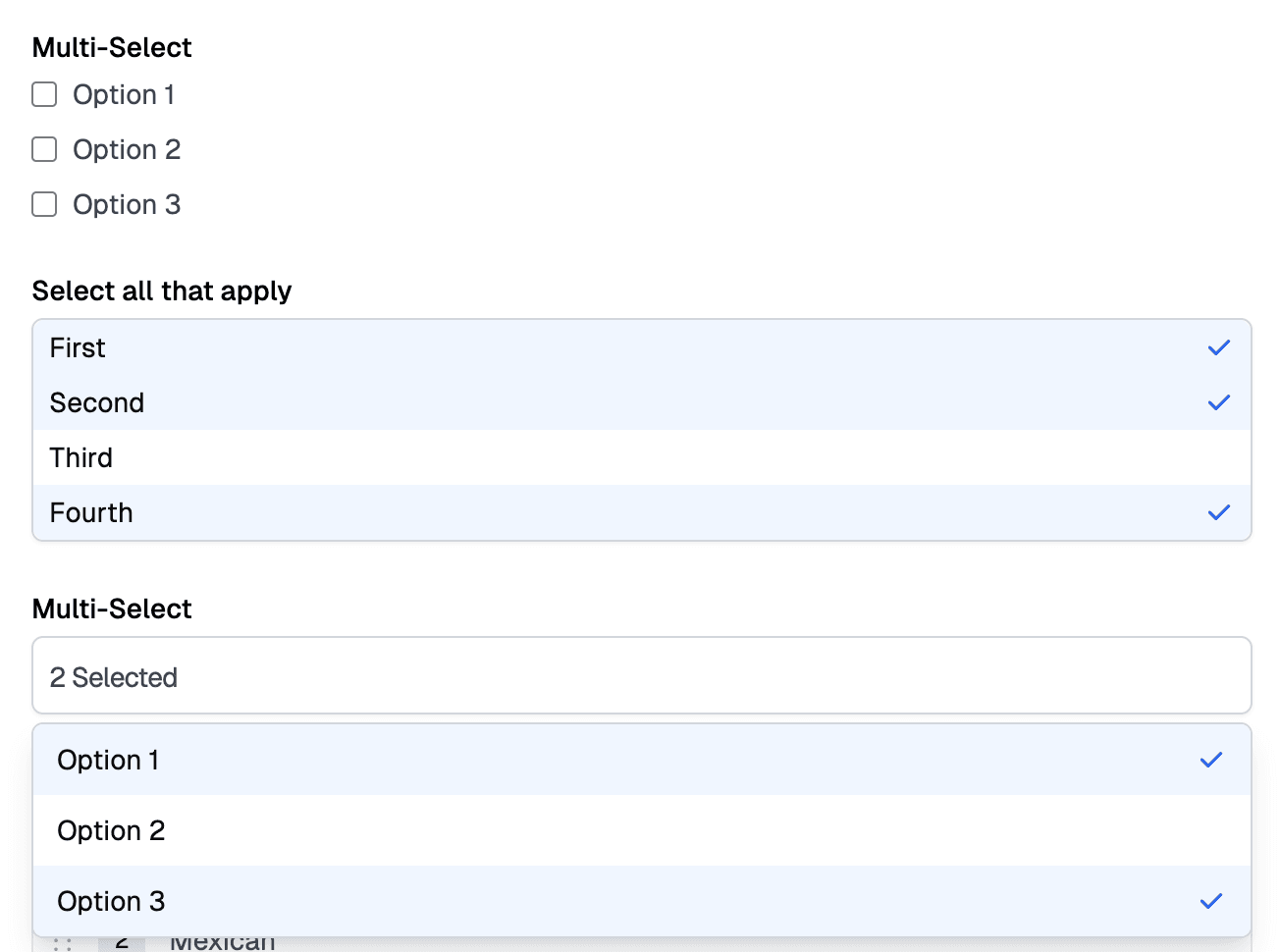
Multi-select questions allow users to choose multiple options from a list. They’re perfect for selecting categories, tags, or any scenario where multiple answers are valid.
You can use either a list of checkboxes, or have the options listed out, or list them in a dropdown.
Ordered List
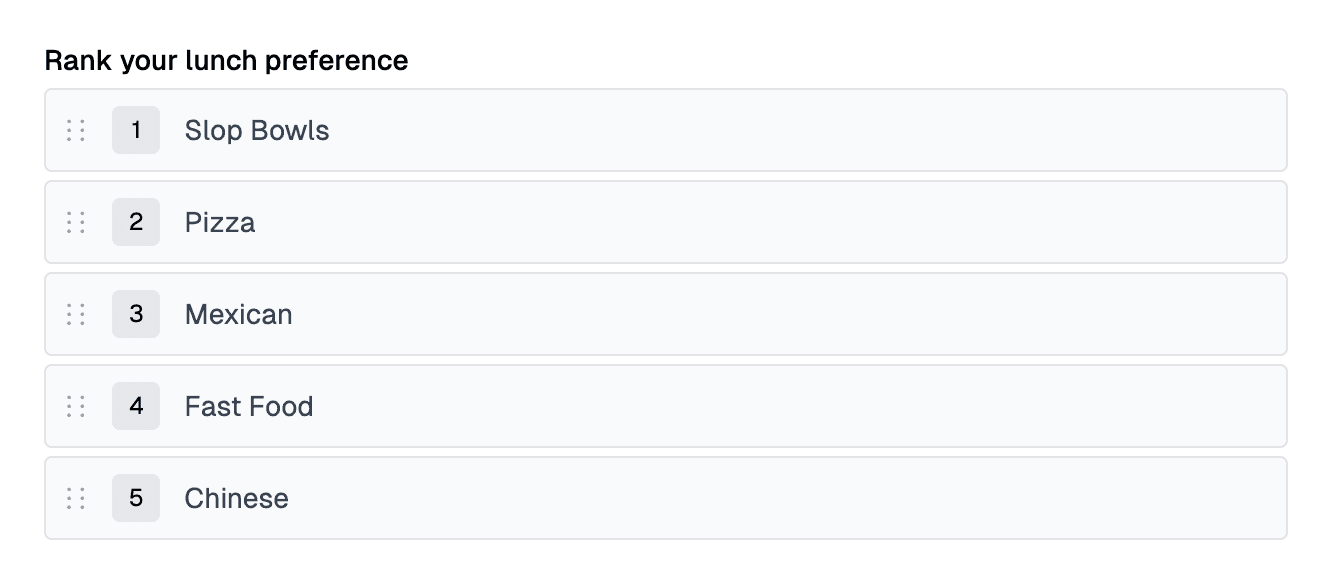
Ordered list questions allow users to rank or order options by dragging them into their preferred sequence. This is perfect for priority questions, ranking preferences, or any scenario where order matters.
Creating Options
Options can be created manually or loaded dynamically. You can create add them on the options sidebar by clicking the ”+ Add Option” button. The label is what is shown to the user. The key is what is saved on the form submission.