Call your flow externally
Create a flow to get a stable HTTPS endpoint that accepts JSON inputs and returns your outputs.
Find your REST API settings
Open the flow builder settings page and look for the REST API card. It includes your endpoint, method, headers, and an Allow calls without API key toggle.
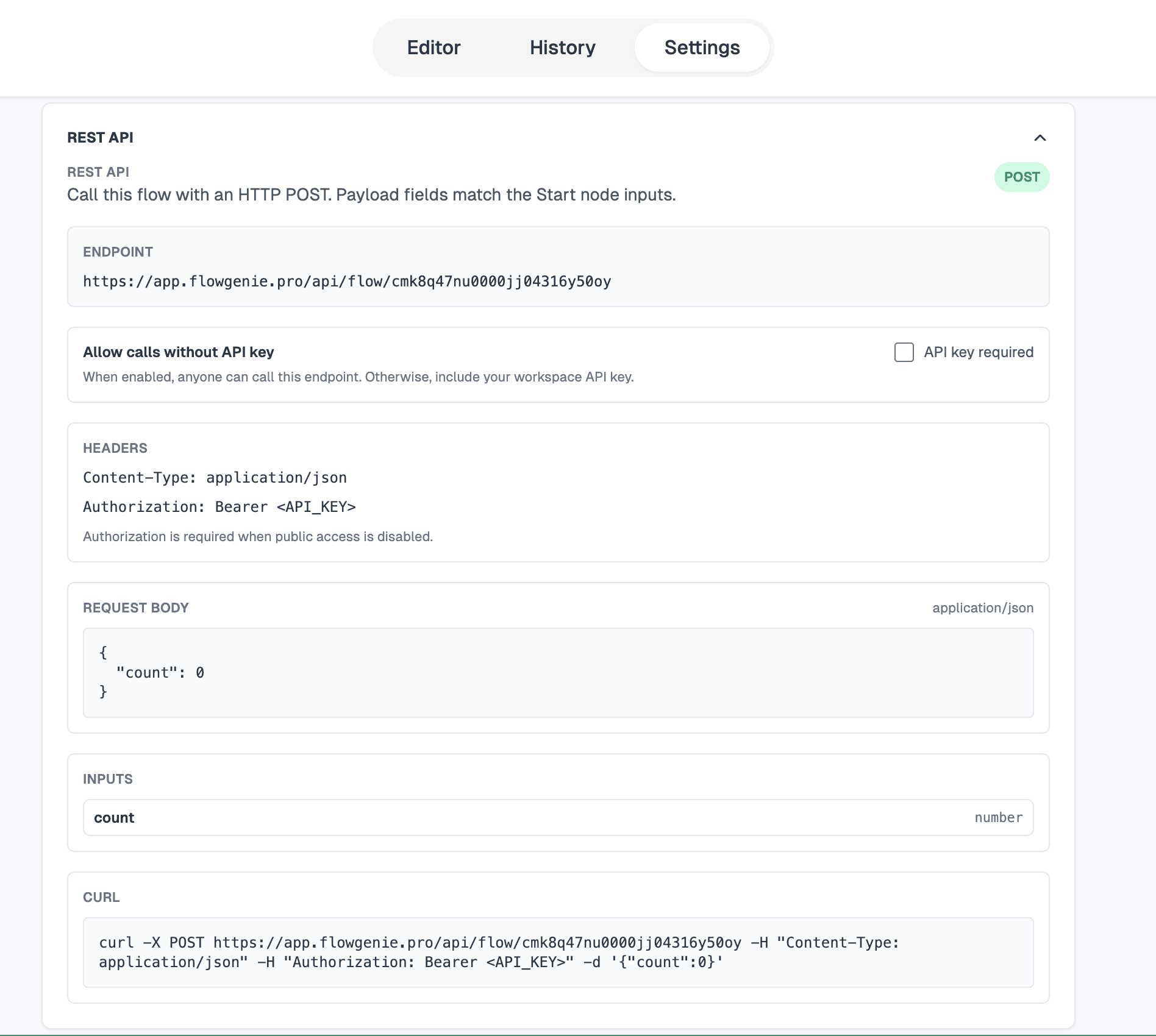
If Allow calls without API key is enabled, the endpoint accepts requests without an API key.
Call the endpoint
Use a POST request to your flow’s endpoint:
https://app.flowgenie.pro/api/flow/{flow id}Headers
Content-Type: application/json
Authorization: Bearer <API_KEY>
If Allow calls without API key is enabled, you can omit the Authorization header.
Body
Send a JSON body that matches your flow inputs. If your flow has one input called count that is a number:
{
  "count": 8
}
Read outputs
The response mirrors your flow outputs. If your flow has one output called success that is a boolean, the response will look like:
{
  "success": true
}
Use the Run panel and History to inspect requests, responses, and replays.