Working with data
Understanding how data flows through your flow with types, inputs, outputs, and transformations.
Typed Data and Visual Indicators
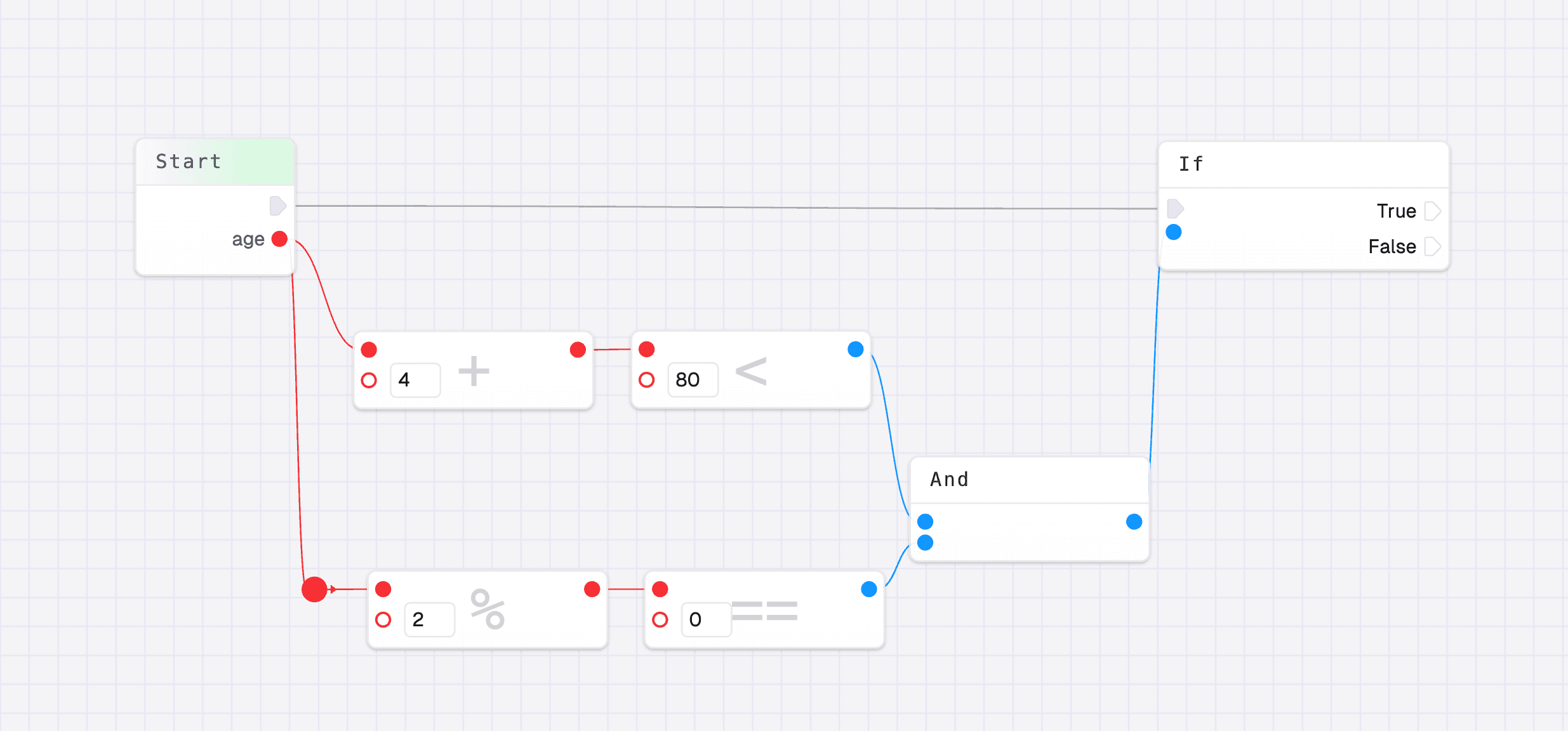
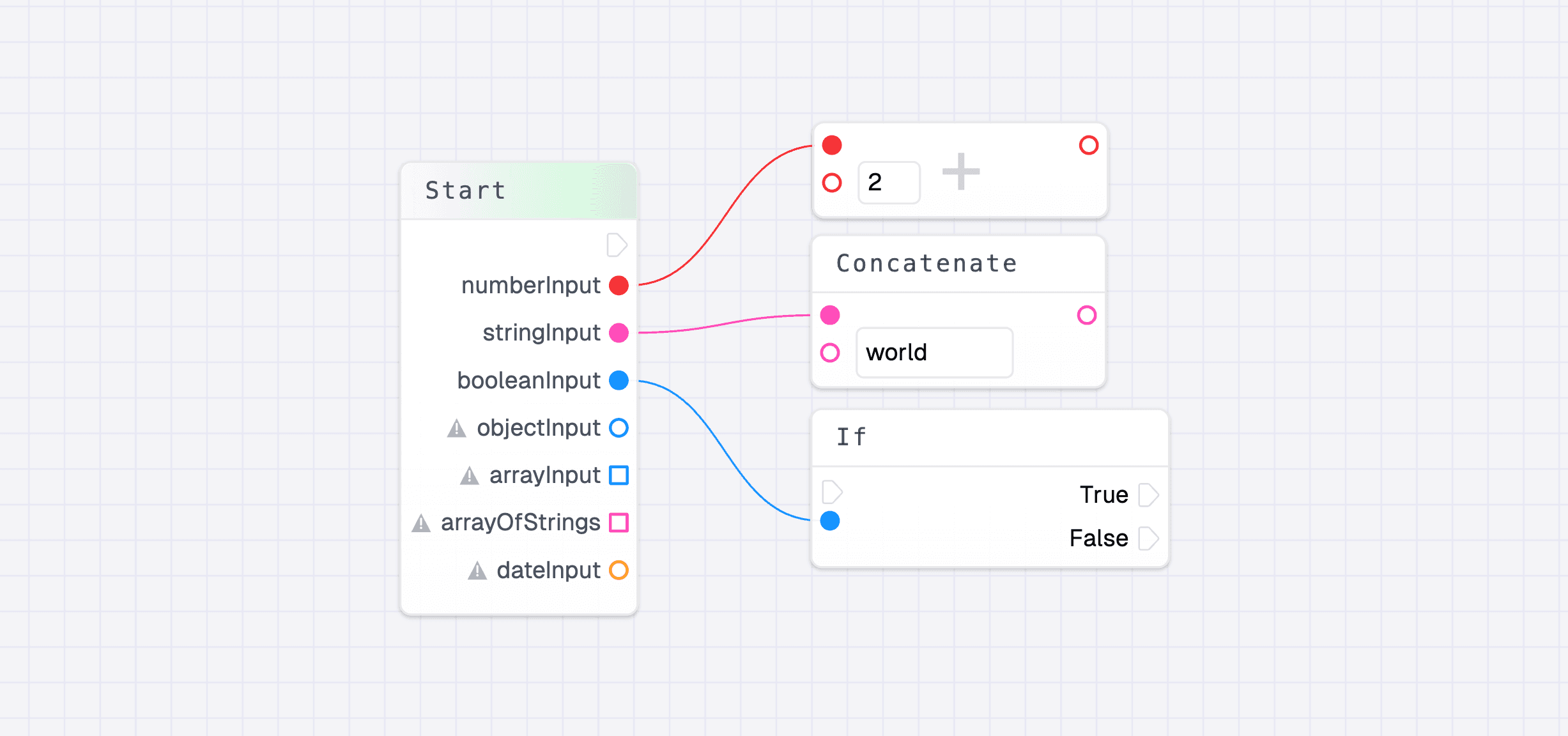
Most data in flows is typed and color coded to help you understand what kind of data you’re working with at a glance. This visual system makes it easier to build flows correctly:
- Circular handles: Represent standard data types (strings, numbers, booleans, objects)
- Square handles: Represent arrays
The shape difference helps you quickly identify array data versus other types when connecting nodes.
The same type can only be connected together. This type safety ensures that your flow logic is correct—you can’t accidentally connect a string output to a number input, for example.
Type Conversion
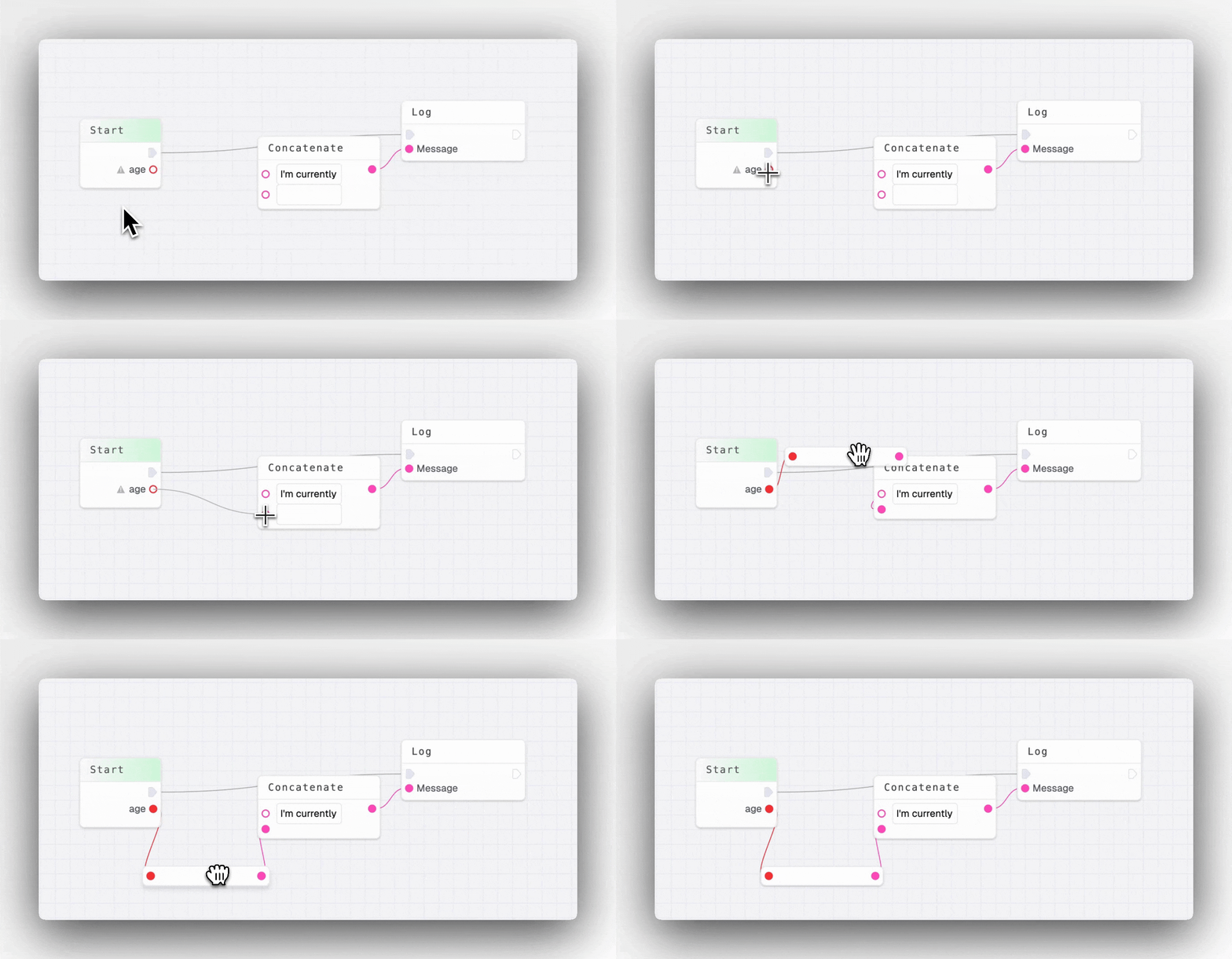
Most types can be converted to another type. For example you can convert a number like 4 to a string like "4". You can simply connect two types and a conversion node will be added for you.
Data Manipulation Methods
Data can be manipulated with a wide variety of methods throughout your flow. These include:
- Mathematical operations:
sum,subtract,multiply,divide - String operations:
substring,toUpperCase,toLowerCase,trim,split,join,replace - Array operations:
map,filter,reduce,length - Other utilities:
UUID,HMAC,regex-test, and more
These methods are available through various transformation nodes, allowing you to process and transform data as it flows through your automation.